

| 일 | 월 | 화 | 수 | 목 | 금 | 토 |
|---|---|---|---|---|---|---|
| 1 | 2 | 3 | ||||
| 4 | 5 | 6 | 7 | 8 | 9 | 10 |
| 11 | 12 | 13 | 14 | 15 | 16 | 17 |
| 18 | 19 | 20 | 21 | 22 | 23 | 24 |
| 25 | 26 | 27 | 28 | 29 | 30 | 31 |
- v3
- Directory Opus
- 반디집
- ANDAR
- 한글패치
- 여행
- 지역화
- 레시피
- Soluling
- 티스토리챌린지
- 백신
- 운동
- 범용 태그 편집기
- 국민연금
- 한글화
- 파일관리자
- 한글 패치
- 안다르
- 오블완
- 이녁하늘
- 한글2024
- 탐색기
- Alchemy CATALYST 2021
- 디스크샷
- 파솔로 2022
- n번방 자료실
- 이녁 하늘
- 파일 탐색기
- Alchemy CATALYST 2023
- 건강
- Today
- Total
이녁 하늘 아래
그래픽 / Zoner Photo Studio X Pro 19 본문
이미지 보기 / Zoner Photo Studio X Pro 19
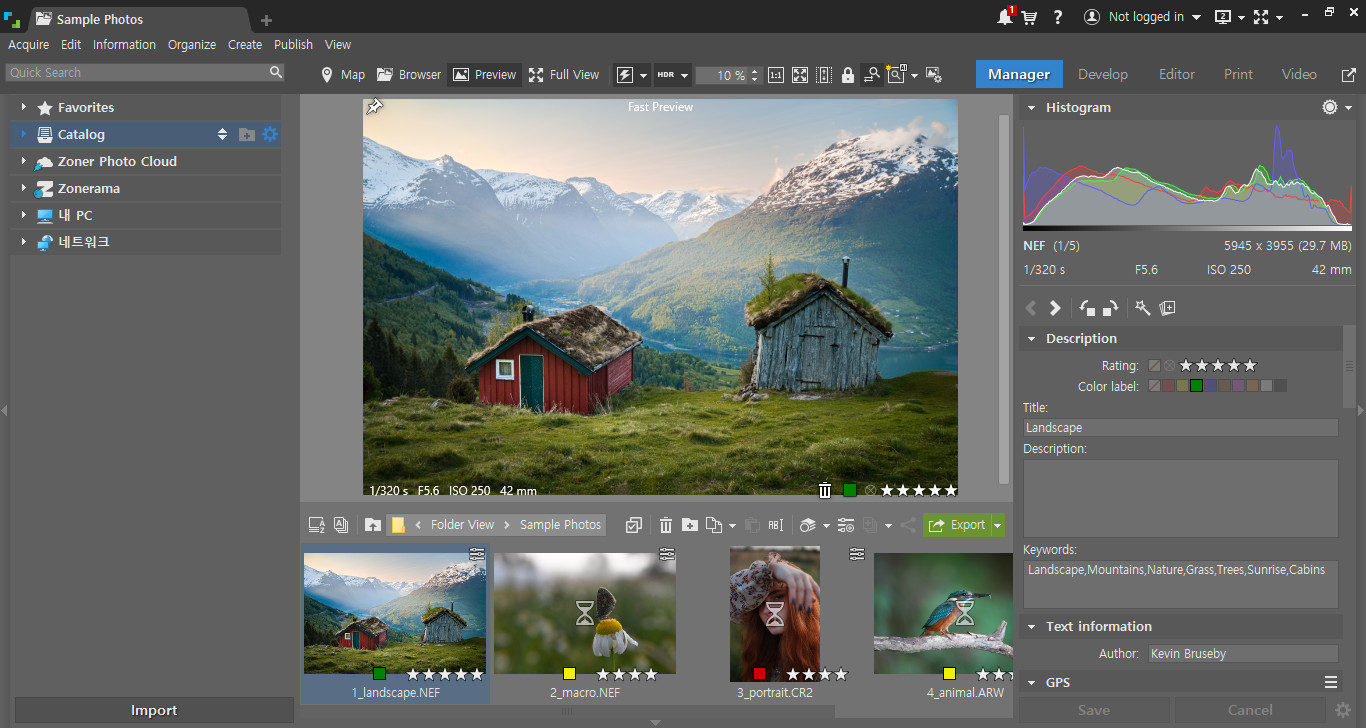
Download Zoner Studio 19 - Complete software for managing and processing digital photos and share your photos easily
Zoner Studio:
Zoner Photo Studio X Pro helps you to control your photos. Zoner Photo Studio is a complete toolbox for managing and processing digital photos. Get photos from your camera, organize your archive, and edit and share your photos - never been easier! Zoner Photo Studio is useful for beginners, advanced users and photographers with experience, who can choose one of four different variations.
Zoner Photo Studio is made for every user of digital cameras, scanners, and mobile devices. It contains everything you need for processing digital photos quality from beginning to end: tools to download computer edit automatically and manually as well as correct errors in photos, to manage photo easily and share and publish photos.
Zoner Photo Studio also provides effects from fun (e.g. oil painting and poster) to highly professional (e.g. framing and text in image).
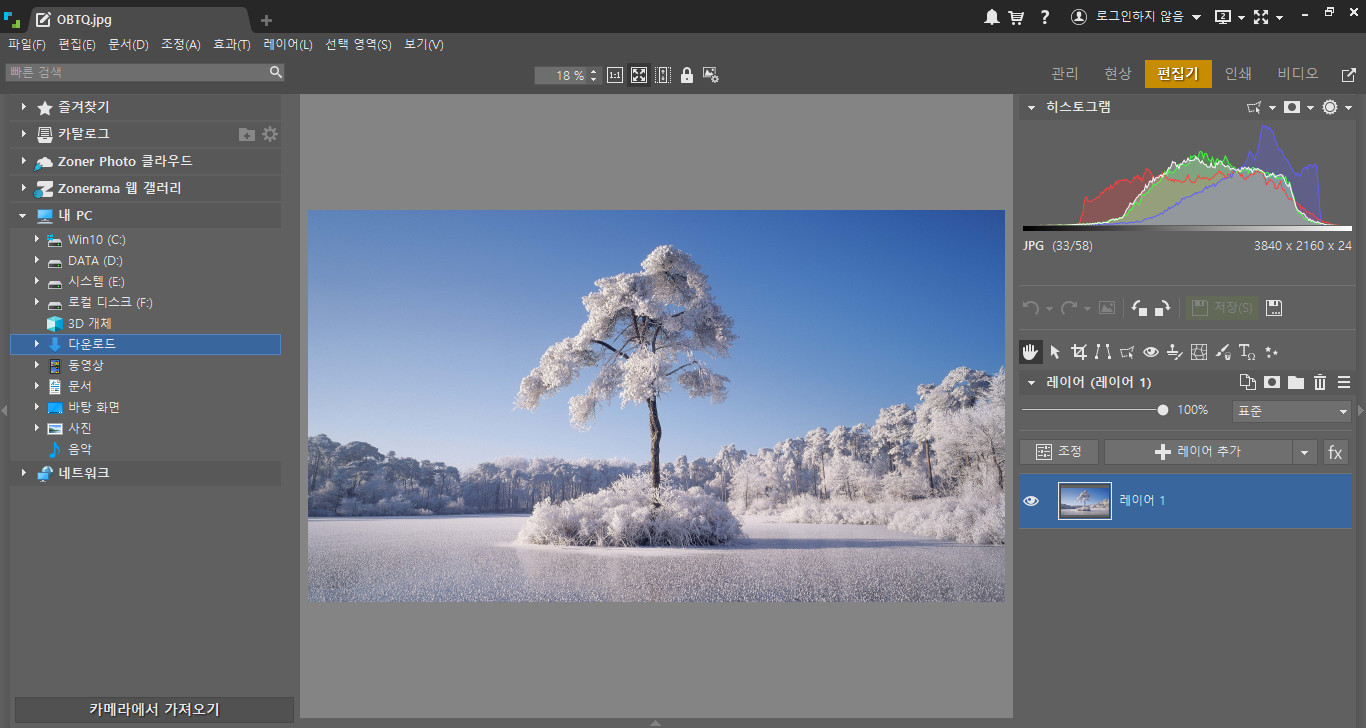
- Done all the photo work of you : download, edit, editing, basic and advanced and share.
- Work fast thanks to tools such as wizard first run and intuitive interface.
- Get impressive results just by learning a few easy edits.
- Save a lot of time thanks to organize photos automatically, edit the series and direct integration with online galleries Zonerama.
Format bitmap: JPEG, GIF, TIFF, PNG, PSD, PSB, PCD, BMP, PCX, TGA, ICO, RLE, MAC, WPG, DIB, BMI, PSP, PSPIMAGE, THM, HDP, WDP, JP2, J2K, JPC , PNM, PPM, PAM, PBM, PGM, WBMP, BMS, JPS, PNS, DCM, KDC, MPO, JXR, HDR
RAW formats: CRW, CR2, DNG, MRW, NEF, ORF, PEF, ARW, SRF, SR2, MEF, ERF, RAW, RAF, FFF, RWZ, RWL, 3FR, CS1, SRW
Expand the range of supported formats read by installing additional codecs WIC (for example WebP).
Video formats: ASF, AVI, M1V, MOV, MP4, MPE, MPEG, MPG, MTS, OGV, QT, WMV
Install MPlayer (free software of the Tuesday) to add support for this video format: 3GP, DIVX, DV, DVR-MS, FLV, M2T, M2TS, M2V, M4V, MKV, MPV, MQV, NSV, OGG, OGM, RAM, REC, RM, RMVB, TS, VCD, VFW, VOB
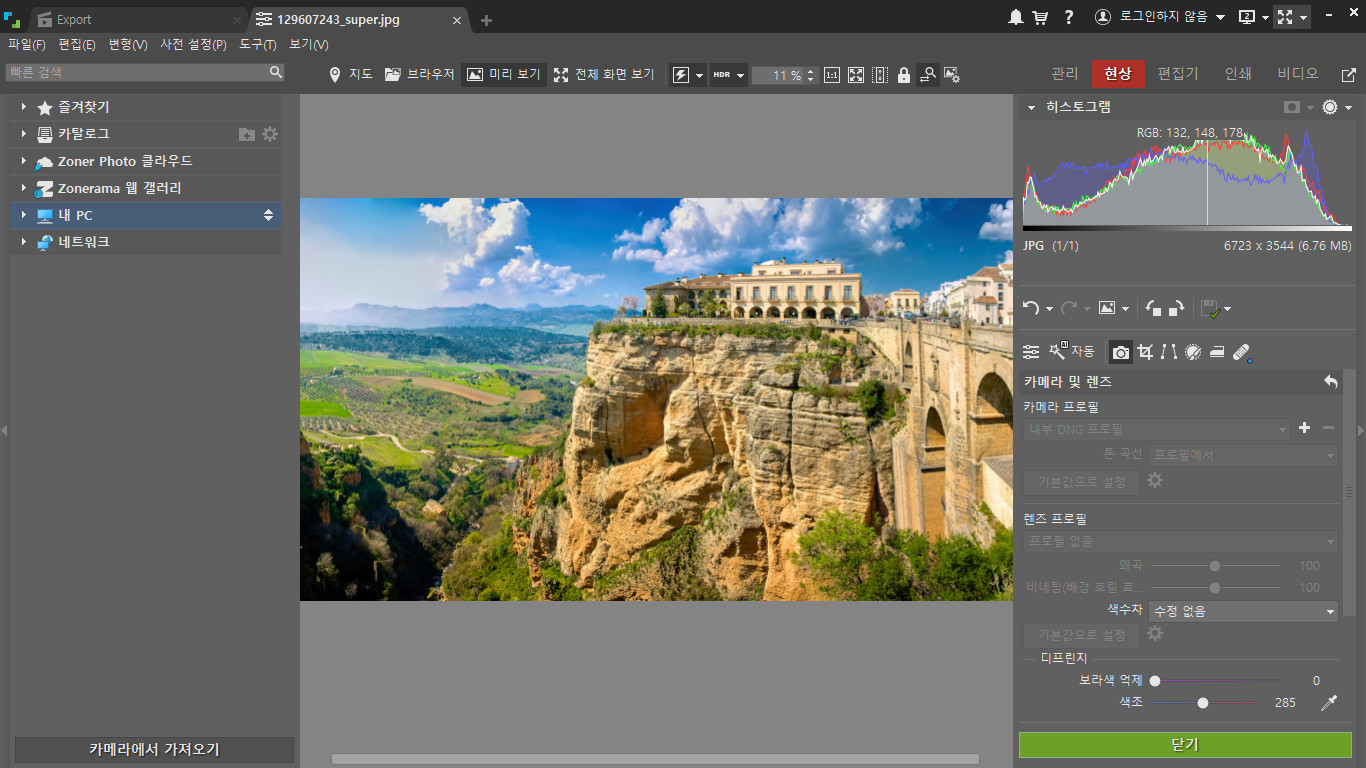
Zoner Photo Studio X Pro has what?
- Module is optimized and faster RAW
- Catalog, manage, and store images advanced
- Multi-exposures help you make "can't"
- Support transparency
- Tool Brush Brush and Brush Brush
- Upload directly to your Albums on Facebook, Flickr and Picass
- Program version 64 bit
- A variety of edits and effects for photo enthusiasts
- HDR, panoramic photo, photo 3D
- The manipulation series convenient, save time
- Support GPS map data
- Web publishing directly and easily
- Templates for calendars, contact lists, etc.
Control digital photos with Zoner Photo Studio. Get images from camera, scanner and even your screen has never been easier. Organized entertainment and browse through the memories of your digital. With Zoner Photo Studio, you will edit and personalize your photos by special effects and even advanced functions like HDR processing engine.
Wow family and friends with 3D photos and panoramas, impressive! Processing RAW files conveniently and easily with interface designed specially for photo enthusiasts.
Whether you're sharing photos with family and friends or published to a web gallery, Zoner Photo Studio has the tools for you. Many options are available to help you sort and store your photos on external drives, DVDS, and other media. You will benefit from full support for the technology, the processor's SSE and MMX and multi-core processors powerful. Color depth 48 bit ensure you get quality images and supports color management so striking!
Content update Zoner Photo Studio X Pro 19.1904.2.171:
This update fix the various problems.
홈페이지 : Zoner Photo Studio X Pro 홈페이지
Zoner Photo Studio X Pro 19.2509.2.665 비공식 한국어 패치
첨부 파일 665:
- 언어 리소스 파일 (원본 파일, 영어)
- 파일 버전 빌드 번호 : 2509.2.665
첨부 파일 665(한국어):
- 파일 버전 빌드 번호 : 2509.2.665
- :\Program Files\Zoner Photo Studio X\binary\Program64\의 폴더에 언어 패치 파일 덮어쓰기 후 프로그램 실행.
ZPS X - information on updates
What’s New in Build 665, November 27, 2025
Print – added the option to order two new PREMIUM hardcover photo books
Other bug fixes and minor improvements
What’s New in Build 664, November 19, 2025
Manager - Autostack - fixed an issue with panorama detection
What’s New in Build 663, November 18, 2025
Resolved an issue with using keywords during a new installation of the program
What’s New in Build 662, November 13, 2025
Print – fixed an issue with page duplication in some photo books
AI Resize – fixed an issue with maintaining proportions when used in the Batch Filter
Other bug fixes and minor improvements
관련 게시글 :
1. Zoner Photo Studio X Pro v19 한글 패치
2. Canva Affinity 3.0.2.3912 비공식 한국어 패치 파일
3. Serif Affinity Photo v2.6.5 업데이트 소식 및 언어 패치
4. Zoner Photo Studio x Pro 도움말 한국어 (구버전)
5. Zoner Photo Studio X Pro 19.2309.2.490 한국어
6. ACDSee Photo Studio Ultimate 2026 19.0.0.4295 한글 패치
'소프트웨어' 카테고리의 다른 글
| WizTree 4.28 (3) | 2026.01.10 |
|---|---|
| Alchemy CATALYST 2025 16.0.134 Release Notes (4) | 2025.12.16 |
| 문서 보기 / Adobe Acrobat Pro DC 2025.001.20937 (1) | 2025.11.24 |
| “Affinity가 공짜라고?” Canva의 파격 선언 (0) | 2025.11.07 |
| ACDSee Photo Studio Ultimate 2026 (6) | 2025.10.05 |


