
| 일 | 월 | 화 | 수 | 목 | 금 | 토 |
|---|---|---|---|---|---|---|
| 1 | 2 | 3 | 4 | |||
| 5 | 6 | 7 | 8 | 9 | 10 | 11 |
| 12 | 13 | 14 | 15 | 16 | 17 | 18 |
| 19 | 20 | 21 | 22 | 23 | 24 | 25 |
| 26 | 27 | 28 | 29 | 30 |
- 백신
- 운동
- Directory Opus
- ANDAR
- 건강
- 디스크샷
- 레시피
- 7z
- 한글패치
- 안다르
- 티스토리챌린지
- 탐색기
- 한글화
- v3
- 반디집
- 파일관리자
- 지역화
- 노령연금
- 파일 탐색기
- 한글 패치
- 한글 2022
- Soluling
- 분석 도구
- Alchemy CATALYST 2023
- 국민연금
- 오블완
- 파솔로 2022
- 이녁 하늘
- 여행
- 이녁하늘
- Today
- Total
이녁 하늘 아래
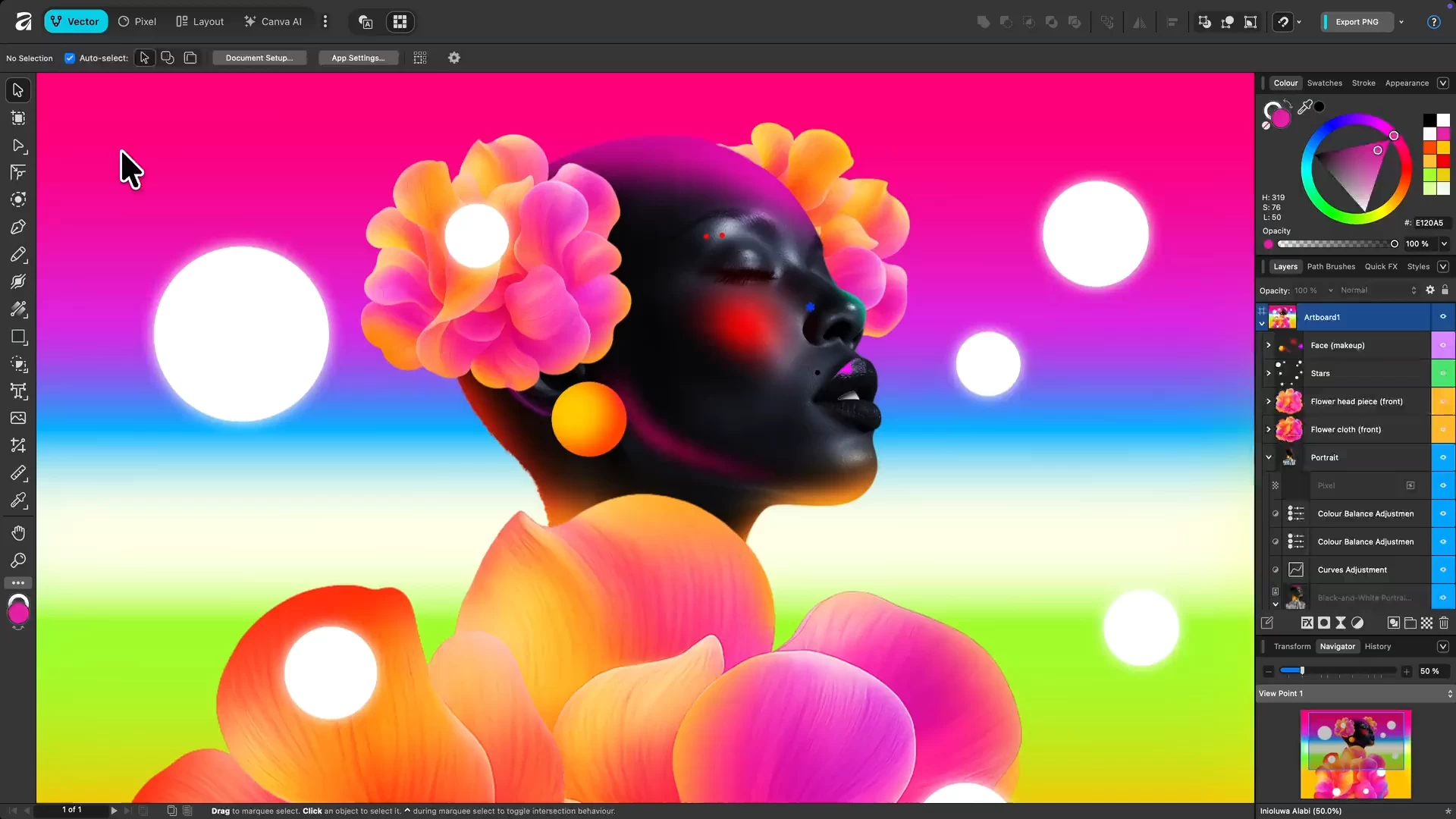
Affinity 3.0.3.4027 News 본문
Affinity 3.0.3.4027 News

Affinity by Canva is a free, all-in-one creative app combining vector design, photo editing, and page layout in a single platform. Originally developed by Serif, it’s now under Canva, offering professional-grade tools without subscriptions.
Users get full access to Pixel, Vector, and Layout studios, plus ongoing updates. Designed for Mac and Windows, it empowers designers, illustrators, and content creators to work faster, smarter, and more creatively than ever before.
Affinity is a unified, high-performance design platform combining vector, raster, and layout workflows. It offers fully non-destructive editing, advanced curve and shape manipulation, artboards, symbols, and seamless integration of pixel and vector content.
The photo engine supports RAW editing, compositing, retouching, and batch processing with macro automation. Layout tools include long-form document support, typographic precision, navigational elements, CMYK-ready print, and Data Merge.
Canva AI Studio adds generative tools (Fill, Expand, Edit), Depth Map, Super Resolution, and advanced portrait effects, accessible via Canva Pro or higher. Broad file compatibility and customizable workspaces ensure professional-grade efficiency.
Advanced AI features like Generative Fill and Expand are unlocked in Affinity through the Canva AI Studio for users with a Canva premium plan (Pro, Business, Enterprise, or Education).
Affinity is truly free.
Every tool in the Pixel, Vector, and Layout studios is fully accessible, along with all customization and export options—no limits, no payments required. The app also receives free updates with new features and improvements.
Your creativity remains yours.
Affinity stores all your work locally on your device. Canva does not use any Affinity content to train AI or develop features, including anything created with Canva AI tools within Affinity. If you export or upload your work to Canva, you remain in full control. Data preferences can be reviewed or updated at any time in your Canva account settings.
Why is Affinity free?
Curious how this is possible? Here’s the philosophy behind it and how it works.
Improvements and fixes in version 3.0.3.4027:
For all users
- Fix for prompt and path being missing in the PDF Security Password dialog
- Collecting or making a resource linked no longer sets status to "Modified"
- Fix for placing an attached JPG will cause a crash
- Chosen Quick Export formats are remembered for future use
- Fix for Export to EPUB (Fixed layout) crash during file size estimation
- Fix for crash with Pencil Tool and Blend Mode keyboard shortcuts
- Export PDF options are now correctly disabled
- Pages panel now scrolls to the active page and indicates the active page after using "Find"
- Missing files are now detected when storage / network drive is unavailable until file re-open
- Fix for Develop Mask Erase and Gradient tool tooltips not launching Help topics via Learn More button
- Better stability when placing RTF files
- Translation fixes
For Mac users
- Fix for the Tone Map Studio displaying fixed 0 px values
- Fix for the Develop Studio exposure adjustment resetting Exposure to 0 after switching files
- Custom Keyboard shortcuts now correctly load for certain UI languages
- Fix for new Path Brush categories not being shown in Path Brushes Panel
- Closing Help menu's Send Feedback dialog using close button no longer locks up app
For Windows users
- Fix for crash when setting paragraph decorations
- Fix for Resource Manager's Collect feature crashing with files containing embedded documents
- Anchor name now accepts spaces when using Insert Anchor
- Fix for Develop Studio presets and panel layout not being kept when quitting Affinity
- Fix for Quick Export not showing any file formats by default
- Fix for the Font drop-down menu always being white, irrespective of the current Settings (User Interface>Always use white background..)
- Fix for some user fonts causing crashing on app startup
Note: A free Canva account is required to use Affinity. Your account gives access to Affinity along with other Canva products and features.
Download: Affinity 3.0.3.4027 | ARM64 | ~600.0 MB (Freeware)
Links: Affinity Website | macOS | Screenshot
버전 3.0.3.4027의 개선 사항 및 수정 사항:
모든 사용자 대상
PDF 보안 암호 대화 상자에서 프롬프트 및 경로 누락 문제 수정
리소스 수집 또는 연결 시 상태가 “수정됨”으로 설정되지 않음
첨부된 JPG 배치 시 발생하는 충돌 문제 수정
선택한 빠른 내보내기 형식이 향후 사용을 위해 기억됨
EPUB(고정 레이아웃) 내보내기 시 파일 크기 추정 중 발생하는 충돌 문제 수정
연필 도구 및 블렌드 모드 키보드 단축키 사용 시 발생하는 충돌 수정
PDF 내보내기 옵션이 이제 올바르게 비활성화됨
“찾기” 사용 후 페이지 패널이 활성 페이지로 스크롤되고 활성 페이지 표시
저장소/네트워크 드라이브 사용 불가 시 누락된 파일 감지(파일 재열람 시까지)
마스크 지우기 및 그라디언트 도구 툴팁의 ‘자세히 알아보기’ 버튼을 통한 도움말 주제 실행 오류 수정
RTF 파일 배치 시 안정성 향상
번역 오류 수정
Mac 사용자용
톤 맵 스튜디오에서 고정된 0 px 값이 표시되는 문제 수정
파일 전환 후 개발 스튜디오 노출 조정 시 노출값이 0으로 재설정되는 문제 수정
특정 UI 언어에서 사용자 지정 키보드 단축키가 올바르게 로드되도록 개선
경로 브러시 패널에 새로운 경로 브러시 카테고리가 표시되지 않는 문제 수정
도움말 메뉴의 ‘피드백 보내기’ 대화상자를 닫기 버튼으로 닫을 때 앱이 멈추는 현상 수정
Windows 사용자용
단락 장식 설정 시 발생하는 충돌 문제 수정
리소스 매니저의 ‘모으기’ 기능이 문서가 포함된 파일에서 충돌하는 문제 수정
‘앵커 삽입’ 사용 시 앵커 이름에 공백 입력 가능
Affinity 종료 시 Develop Studio 프리셋 및 패널 레이아웃이 유지되지 않던 문제 수정
Quick Export에서 기본적으로 파일 형식이 표시되지 않던 문제 수정
현재 설정(사용자 인터페이스 > 항상 흰색 배경 사용...)과 무관하게 글꼴 드롭다운 메뉴가 항상 흰색으로 표시되던 문제 수정
일부 사용자 글꼴로 인해 앱 시작 시 충돌이 발생하던 문제 수정
관련 게시글:
- Affinity 3.0.3.4027 비공식 한글 언어팩 게시글 바로가기
첨부 파일 4027:
'소프트웨어' 카테고리의 다른 글
| 7z SFX Builder (0) | 2026.02.07 |
|---|---|
| WinSnap 6.2.2 - 화면 캡처 도구 (1) | 2026.01.31 |
| PrimoCache Pro 4.x.x (2) | 2026.01.19 |
| Q-Dir 11.62.2 - 4분할 파일 탐색기 (3) | 2026.01.11 |
| EmEditor 20.6 (0) | 2026.01.11 |